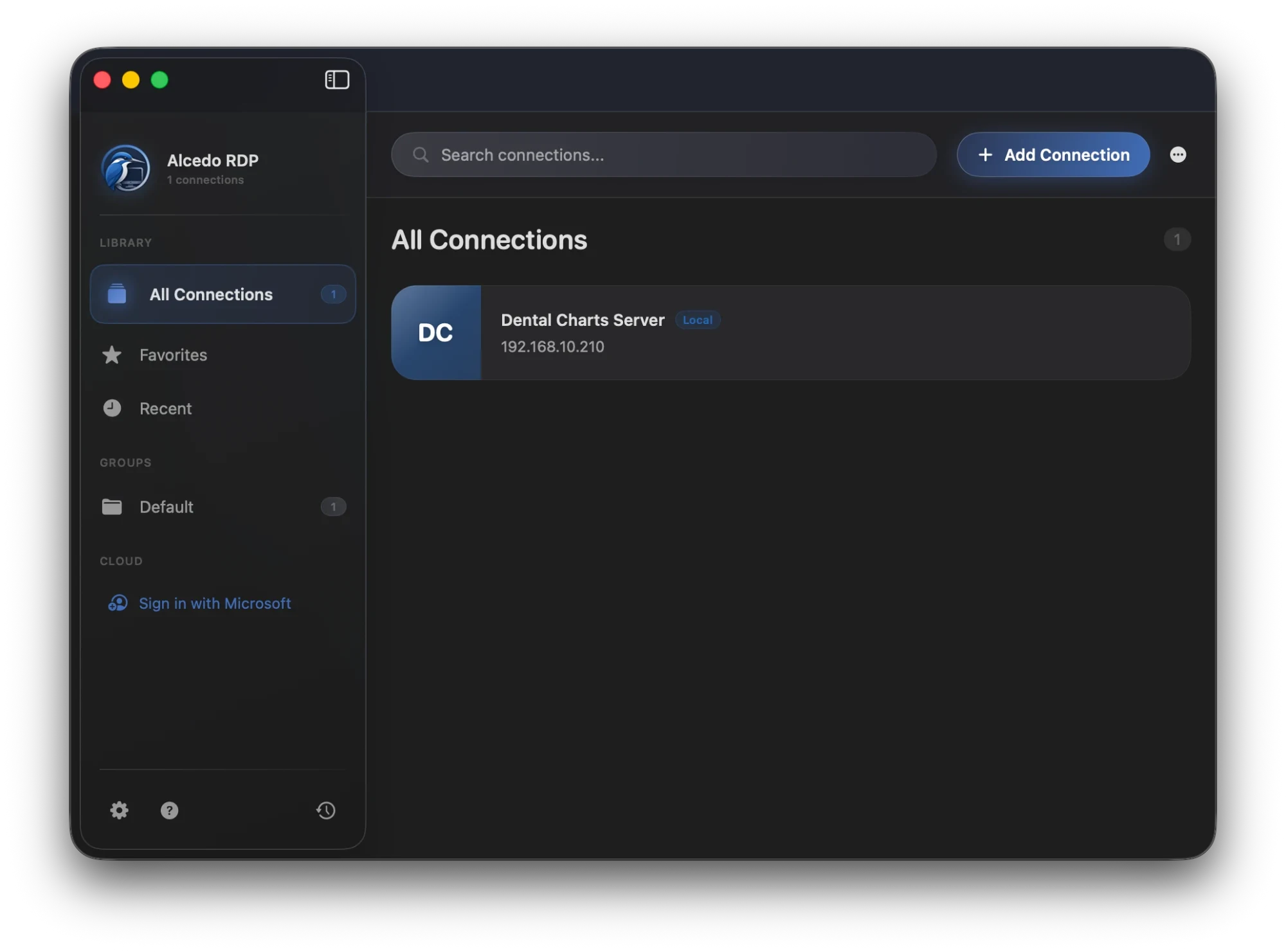
Alcedo RDP on macOS: your connections in one library.
Bring your desk into the session.
Connect to your remote desktops and apps, and take your printer, scanner and webcam
along. Everything you need for that is part of Alcedo.
Your remote workspace.
Run your Windows desktops and apps from your Mac. Open a full remote desktop or
a single RemoteApp program, and keep every connection in one library with
favorites, recent connections and groups.
Remote desktops and RemoteApp programs
Workspace integration
Multi-monitor support
Clipboard, folder and device redirection
Print to your own printer.
Built in: TSPrint
Requires TSPrint on the server. Free trial available.
Print from your remote session to the printer right next to you. TSPrint is built into
the client, so there are no extra drivers to install on your Mac.
Scan straight into your session.
Built in: TSScan
Requires TSScan on the server. Free trial available.
Put a paper document on the scanner next to you, and the scan arrives in your
remote apps.
Use your own webcam.
Built in: TSWebCam
Requires TSWebCam on the server. Free trial available.
Connect the camera on your desk and use it inside your remote session.
See Alcedo in action.
A 55-second film about connecting to your workspace and bringing your devices with you, with captions in the picture.
What the film shows
0:00Meet AlcedoMeet Alcedo, a remote desktop client for Mac and Linux.
0:06Your remote desktopConnect to your remote desktops and apps, and bring your printer, scanner and webcam along.
0:14Print to your own printerWith TSPrint, print from your remote session to the printer right next to you. Requires TSPrint on the server.
0:22Scan straight into your sessionWith TSScan, scan a paper document straight into your remote apps. Requires TSScan on the server; free trial available.
0:30Use your own webcamWith TSWebCam, use your local webcam inside your remote session. Requires TSWebCam on the server; free trial available.
0:38Now on Linux, tooOn Linux, remote scanning and webcam used to be the hard part. Alcedo makes it simple. Scanning and webcam are new.
0:50Your workspace. In full flight.Alcedo. Your workspace, in full flight. For Mac and Linux, by Terminalworks.
The AppImage needs FUSE 2: install libfuse2t64 on Ubuntu 24.04 and later, libfuse2 on older Ubuntu and Debian releases, or fuse-libs on Fedora.
4 Open Alcedo RDP
Open Alcedo RDP from your app menu. Double-clicking an .rdp file opens it in Alcedo. The AppImage adds itself to the app menu the first time it runs.
To update, install the new version the same way. Your connections are kept. To remove Alcedo, run sudo apt remove alcedo-rdp or sudo dnf remove alcedo-rdp, or delete the AppImage file.
Questions and answers.
What is Alcedo RDP?
Alcedo RDP is a remote desktop client for Mac and Linux. It connects you to remote Windows desktops and RemoteApp programs, and has TSPrint, TSScan and TSWebCam built in, so you can print, scan and use your webcam inside the remote session.
Which platforms does Alcedo RDP run on?
Alcedo RDP is available for Mac and Linux, with printing, scanning and webcam built in on both. On Linux, Terminalworks offered only TSPrint until now, so scanning and webcam are new there.
How do I download Alcedo RDP for Mac?
Download it from the Mac App Store, where it is free. It requires macOS 12.4 or later and a Mac with Apple M1 chip or later.
Where can I find the Linux installation instructions?
In the Download section of this page. Choose the .deb package for Ubuntu, Debian, Linux Mint, Pop!_OS or Zorin OS, the .rpm package for Fedora, or the AppImage for any other distribution, then follow the installation steps there.
Can I print from a remote session to my local printer?
Yes. TSPrint is built into Alcedo RDP, so you can print from your remote session to the printer next to you. TSPrint also needs to be installed on the server; a free trial is available.
Can I scan documents into a remote session?
Yes. TSScan is built in: scan a paper document on your local scanner and it arrives in your remote apps. TSScan also needs to be installed on the server; a free trial is available.
Can I use my webcam in a remote session?
Yes. TSWebCam is built in, so your local webcam can be used inside the remote session. TSWebCam also needs to be installed on the server; a free trial is available.
Questions, support or feedback?
Get in touch about Alcedo RDP: setting it up, something that is not working,
or an idea for what it should do next.